Docs
Memory, skills & search
Bots remember what matters and learn how you like things done. You can read all of it, change it, and nothing a bot writes for itself is used without your OK.
Memory
Each bot has a Memory tab. You can add memories there, and the bot can add, update and remove its own. Each one is marked You or Bot, and you can edit or delete any of them.
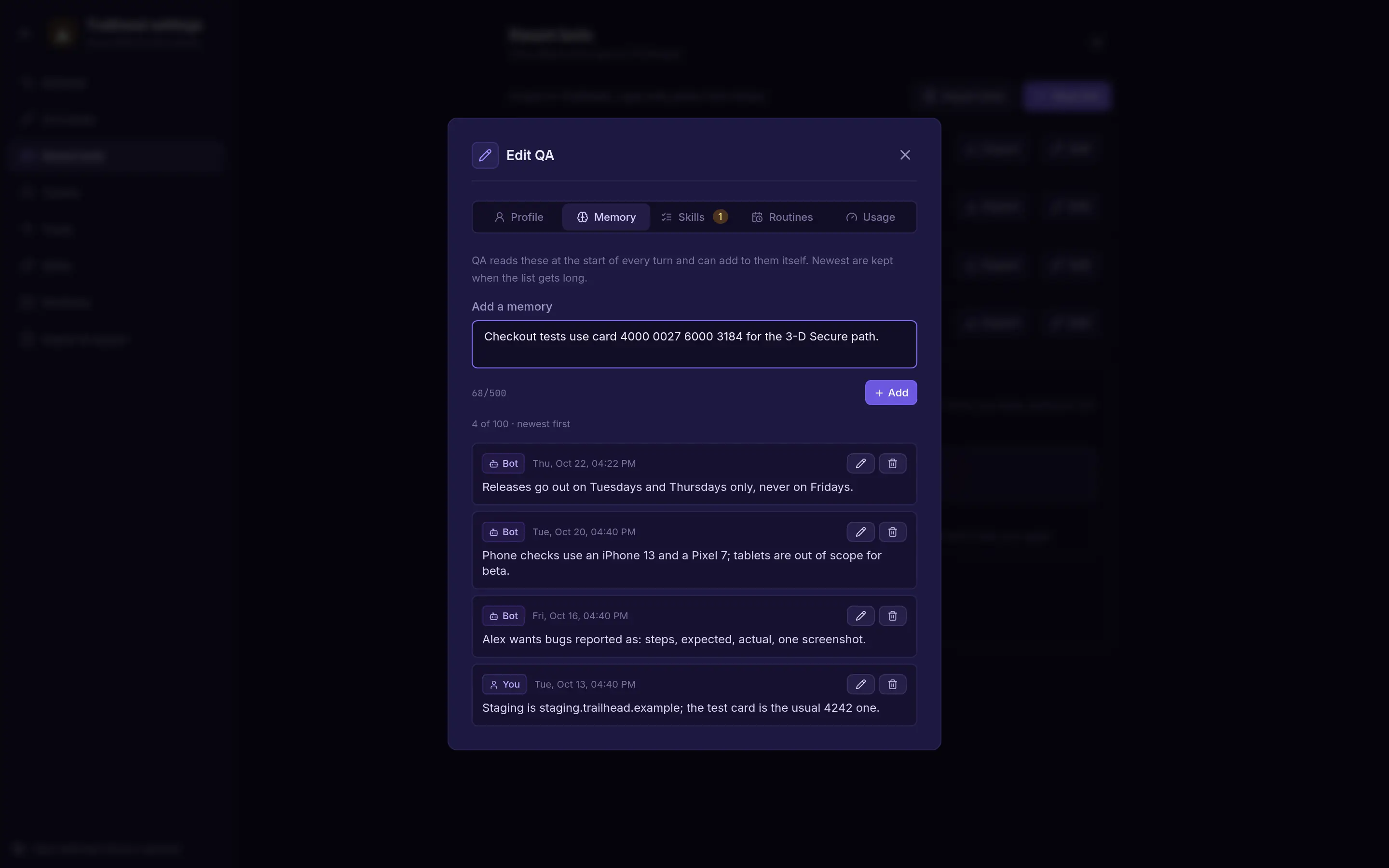
- Up to 100 memories per bot, each up to 500 characters.
- They go into every turn under What you remember, up to 6 KB.
Skills
A skill is a written procedure, like "how we write a release checklist". It's plain text: a skill never gives a bot new tools.
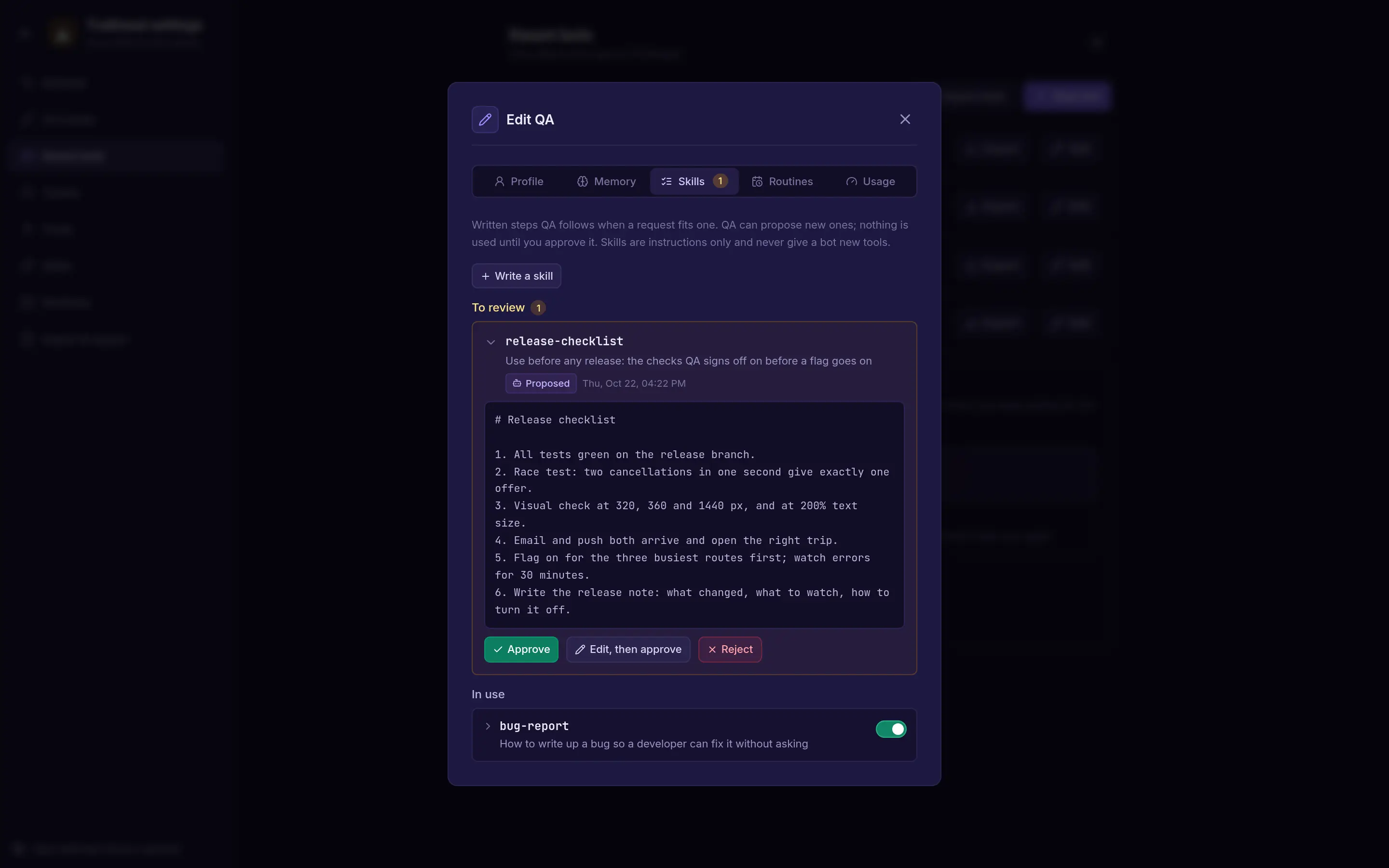
- A bot can propose a skill, or a change to one. You Approve, Edit, then approve, or Reject it, and can undo that. A proposed change shows what's different.
- Approved skills have an on/off switch. Only skills that are on go into the bot's prompt.
- Use Write a skill in a bot's Skills tab to add one yourself.
- Skills for a whole space come from an import.
- A skill can be up to 8,000 characters, and a bot can have up to 20 waiting for review.
Search
Press Ctrl K (⌘K on a Mac) to search every channel and direct chat in the space you have open. Use the arrow keys and Enter to jump to a result.
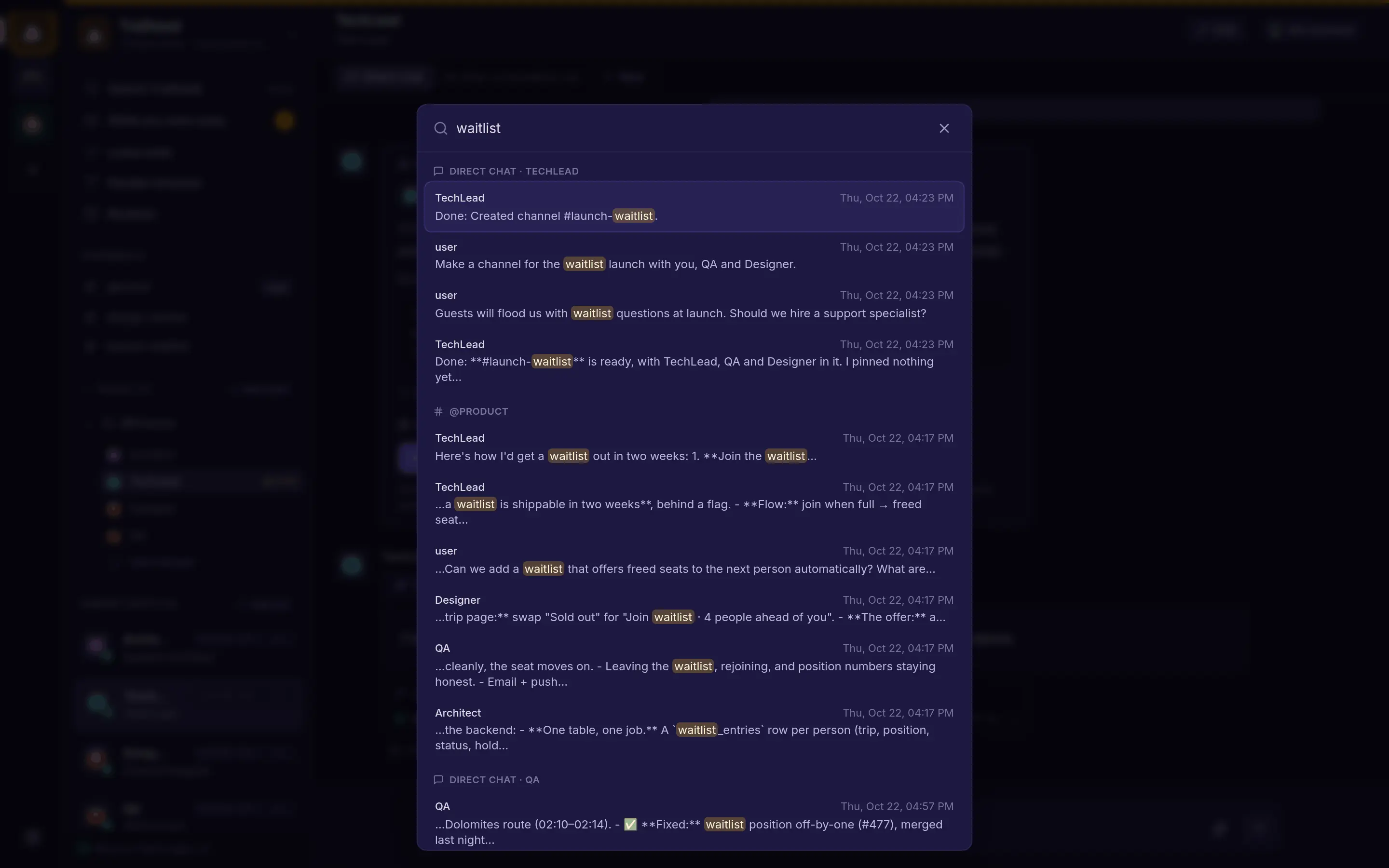
Search covers one space at a time. Switch spaces to search another.