Docs
Accounts & profiles
Use every account you have. A space can hold several accounts per engine, for example a work Claude subscription, a personal one and an API key. When one runs out of usage, kwant moves the turn to the next.
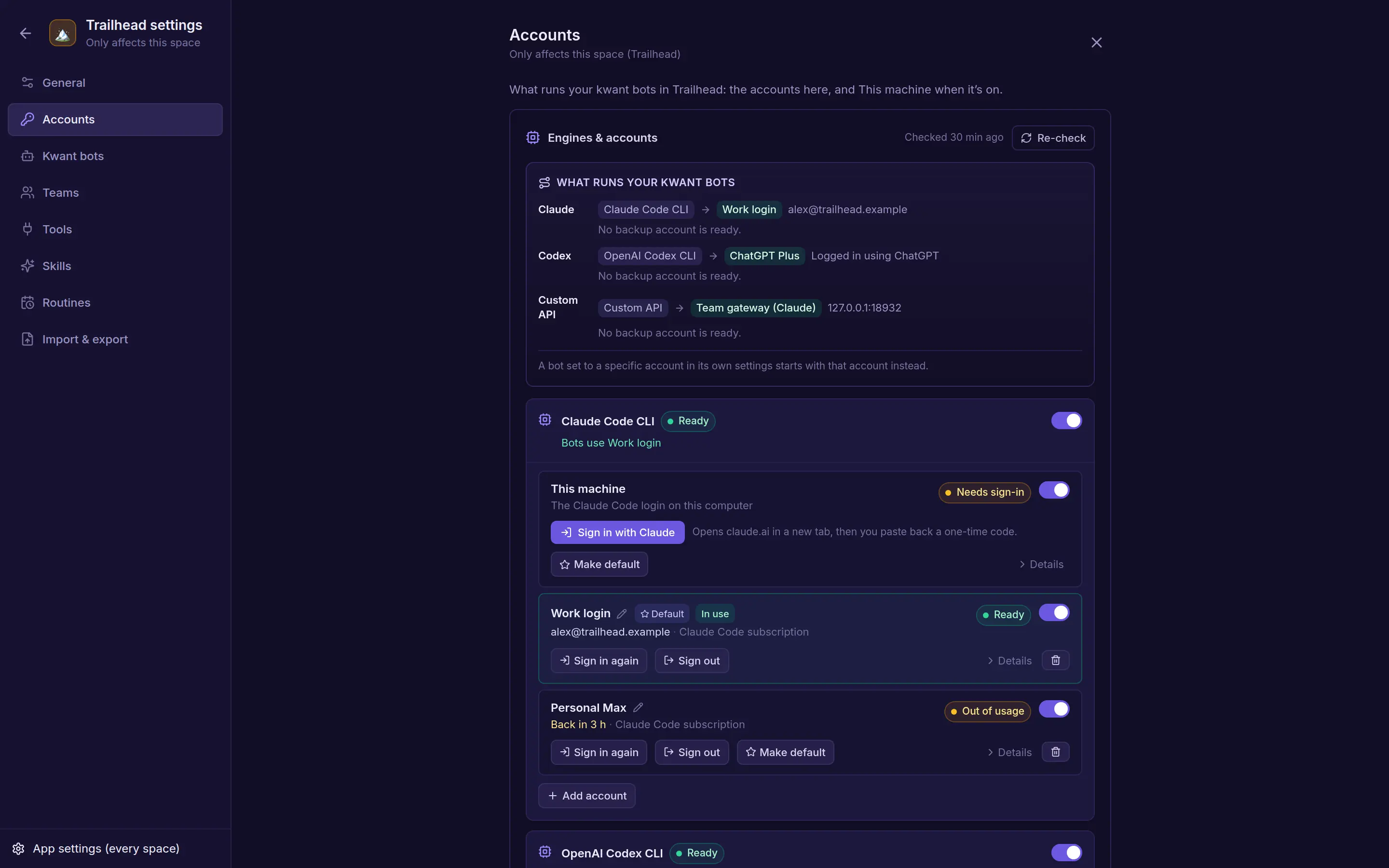
Account profiles
A profile is one account for an engine, for example a work Claude subscription and a personal one. Every engine starts with a This machine profile, which uses the CLI's own login, or the key from Settings or the environment.
| Kind | Runs with | Signed in by |
|---|---|---|
system | The CLI's default config folder, or the Settings or environment key | Whatever you did on the host |
cli_home | Its own config folder; host credential variables are removed | The in-app sign-in, or your own folder |
api_key | The provider's API, with only the profile's key | The key you paste |
custom_api | Your own server, with its key if it has one | A check of the server's model list |
Keys are write-only: no API response ever contains one, only whether it's set.
Signing in a CLI profile
kwant runs the CLI's own login with the profile's folder. For Claude, open the link and paste the code shown back into kwant. For Codex and Grok, open the link and enter the code. A sign-in expires after 10 minutes.
Failover
A bot can be pinned to a profile; otherwise the engine's default profile runs. When that profile is out of usage or signed out, and nothing has been shown or done yet in the turn, kwant moves the turn to the engine's next enabled profile by priority, up to 3 attempts, and the chat says so. A profile that ran out is skipped until its reset time. Overloads and rate limits are retried, not failed over. Turn failover off for a bot to keep it on its profile.
Pinning a bot
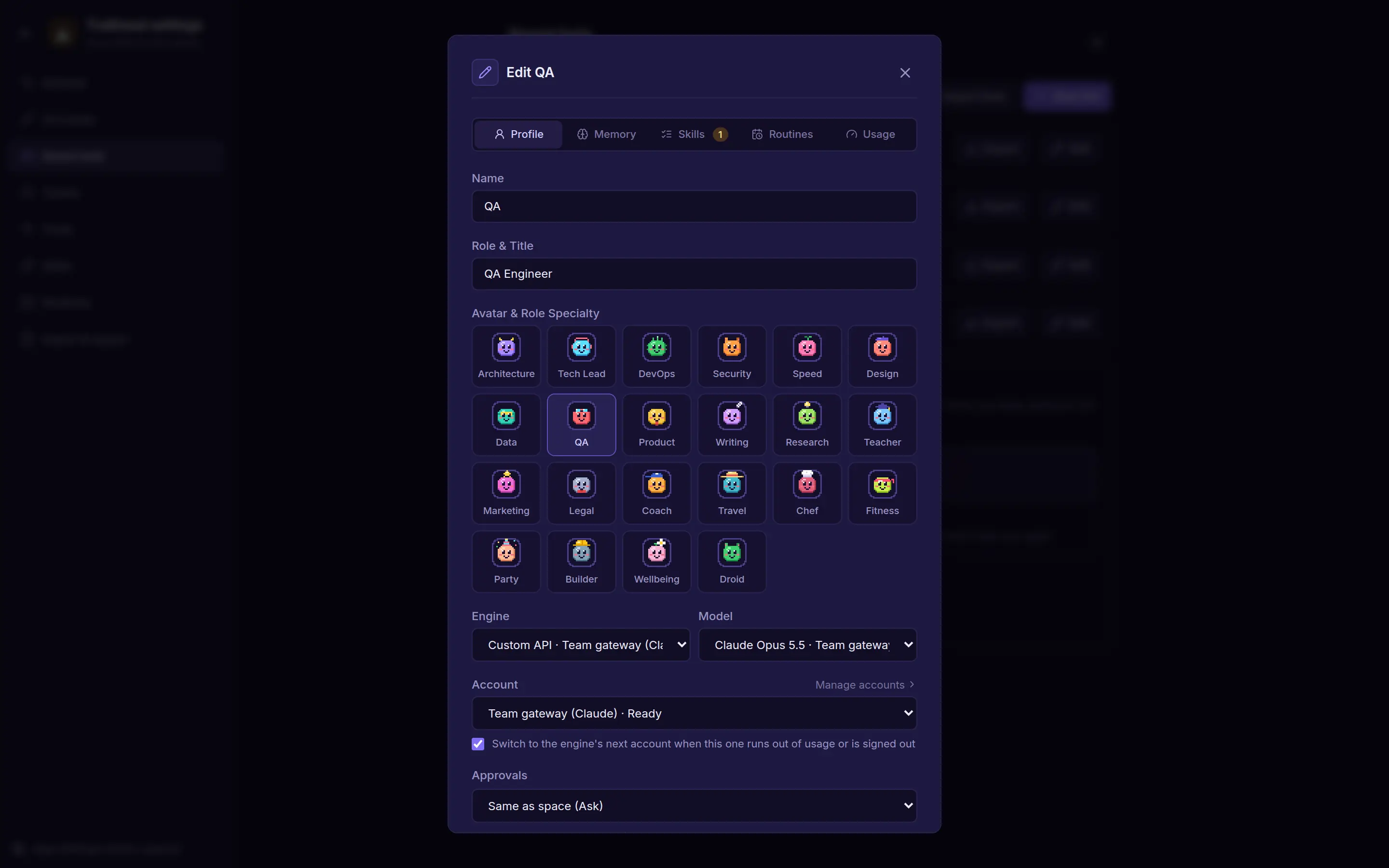
In a bot's settings, pick the account it should use, or leave it on the engine's default. Clear Switch to the engine's next account when this one runs out of usage or is signed out to keep the bot on its account.
Custom API accounts
Add an account with the server's base URL and, if needed, a key. kwant checks the server's model list when you save it and shows whether it's ready, unreachable or rejected the key. A space can have several custom accounts, and they belong to that space only.
- Paste the base URL with or without
/chat/completionsor/messages: kwant trims it to the API root. - MCP tools are offered on OpenAI-chat servers. Anthropic-Messages servers run without tools and say so.
- Custom API never falls back to the host's accounts.