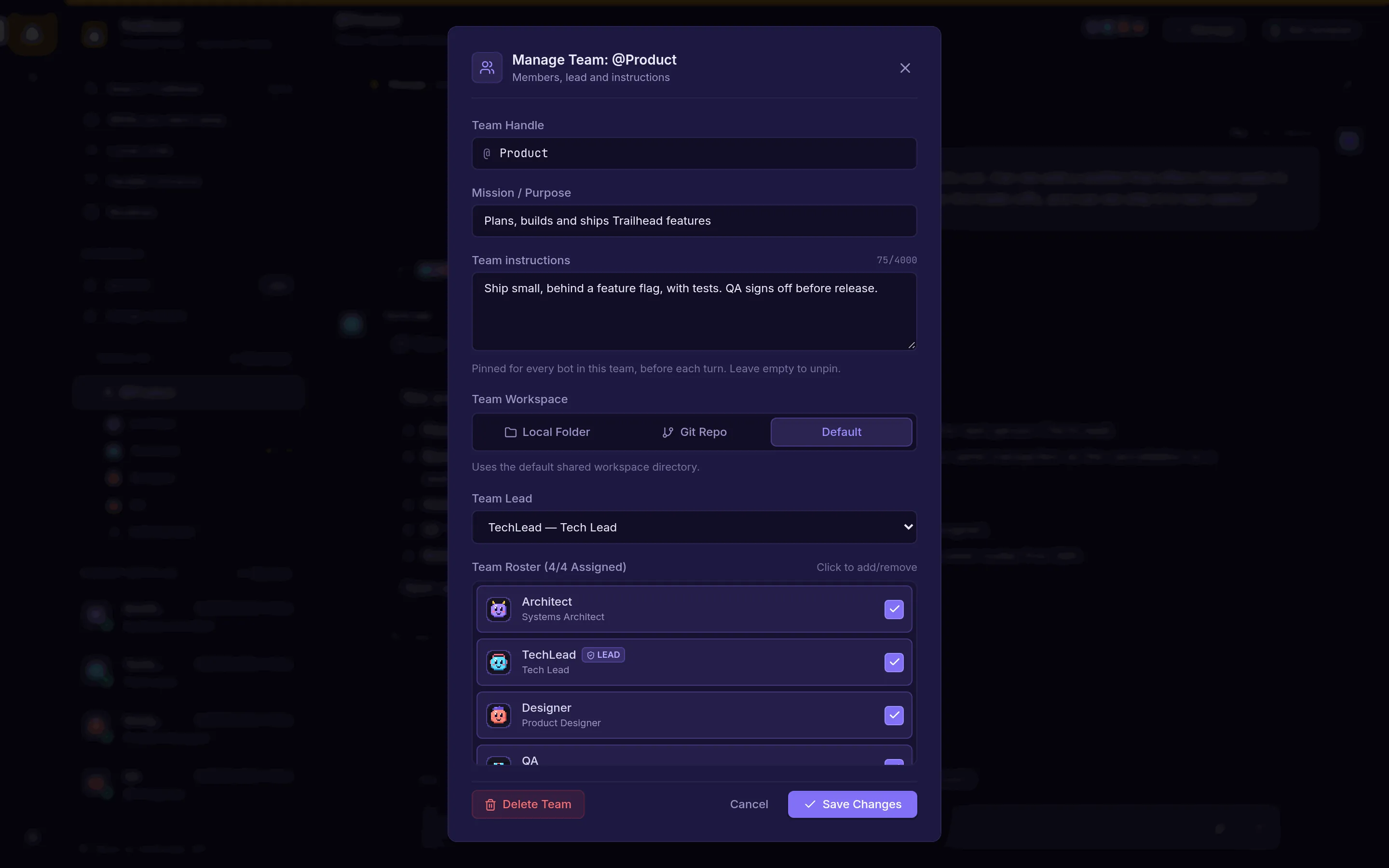
Teams with a lead
Give a team a mission, pinned instructions every member follows, a lead and a shared workspace.
Features
A self-hosted team of AI bots, with separate spaces, every account you have, and work that keeps going while you're away.
Teams & chat
Each bot has a role, a voice and a model, and knows who else is in the room.
Give a team a mission, pinned instructions every member follows, a lead and a shared workspace.
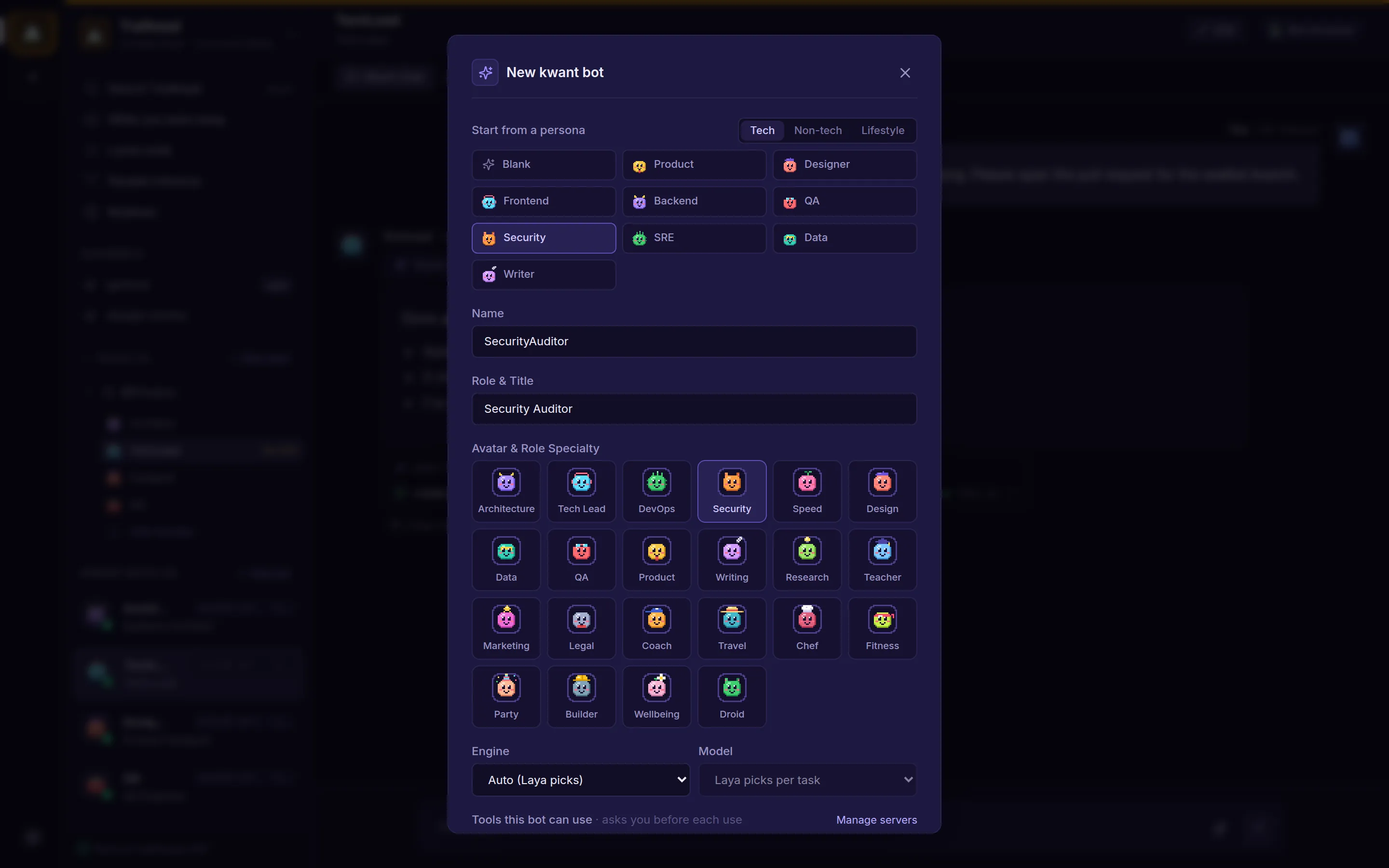
Start from a preset. Every bot has a persona for what it does, a soul for how it speaks, and a pixel avatar.
Mention a teammate, or @everyone, and they answer next in the same chat, up to four handoffs per message.
Ask a team and the lead runs a short discussion, then posts one summary. Teammates can pass when they have nothing to add.
Talk to the whole team in a channel or to one bot directly. Threads keep side topics apart.
Picks which bot answers in a channel, and the model and effort for bots set to auto. If it is offline, kwant routes by keyword.
Replies list the tools a bot used and how each call ended.
The web app fits a phone screen, with an inbox tab for what needs you.
Spaces & accounts
Keep work, side projects and home apart, and use all the accounts you pay for.
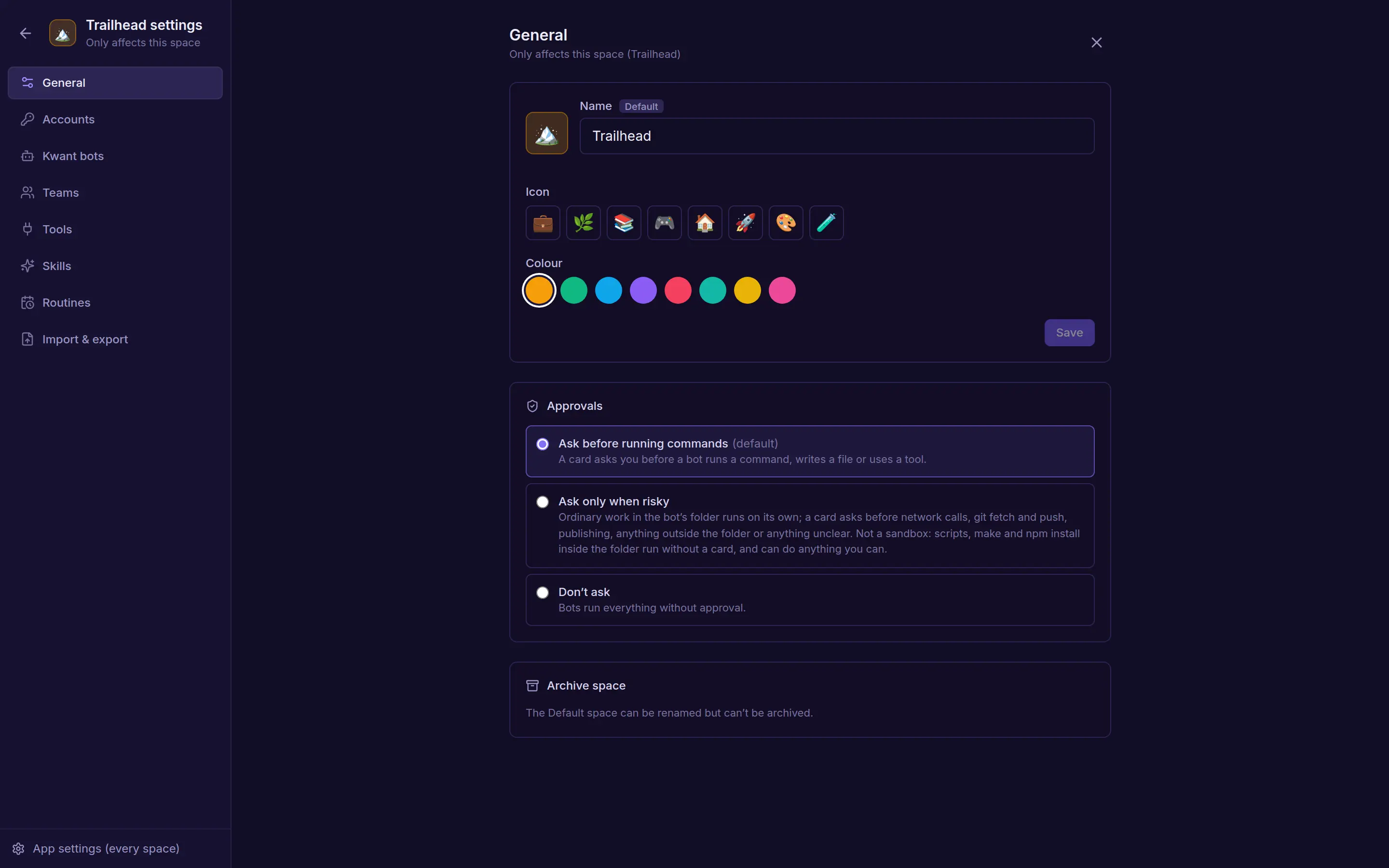
Each space has its own approval rule and hiring rule.
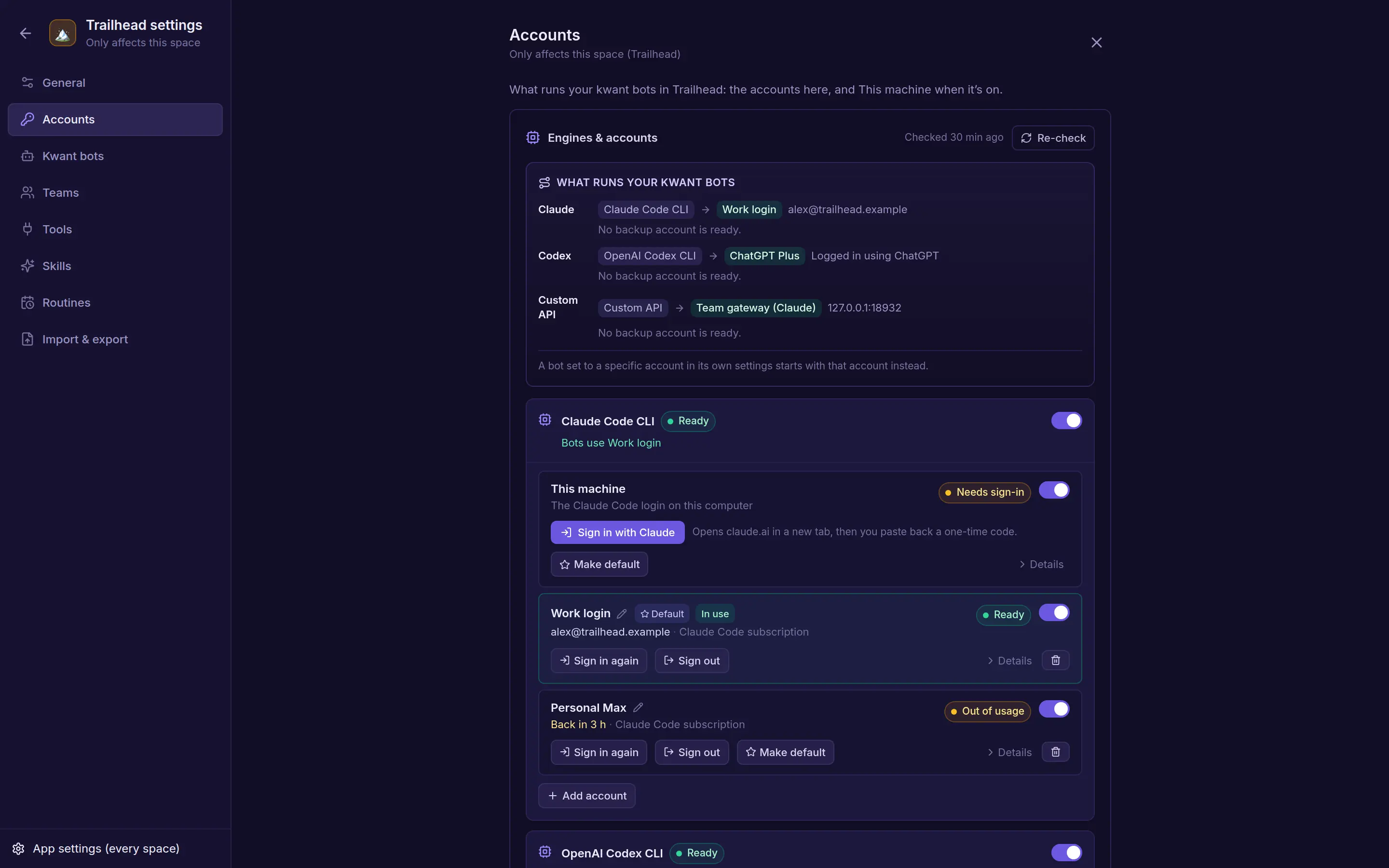
See every account at a glance: which is the default, which is in use, and which ran out and when it's back.
Each space has its own bots, teams, channels, routines, skills, tool servers and accounts.
Switch from the rail or with Ctrl/⌘ + 1–9. Every space has its own address.
Archiving a space pauses its routines and keeps everything. Restore it from Archived spaces.
Claude, Codex and Grok CLI logins, Anthropic, OpenAI and xAI keys, with a default and an order.
When an account runs out of usage or is signed out, the turn moves to the next one, up to three tries, and the chat says so.
Add any server that speaks the OpenAI chat or Anthropic Messages API, such as OpenRouter or LM Studio.
Sign in a Claude, Codex or Grok CLI account from kwant itself.
Keys are write-only. kwant shows whether one is set, never the key.
Works on its own
Scheduled work, check-ins, and a list of everything still open.
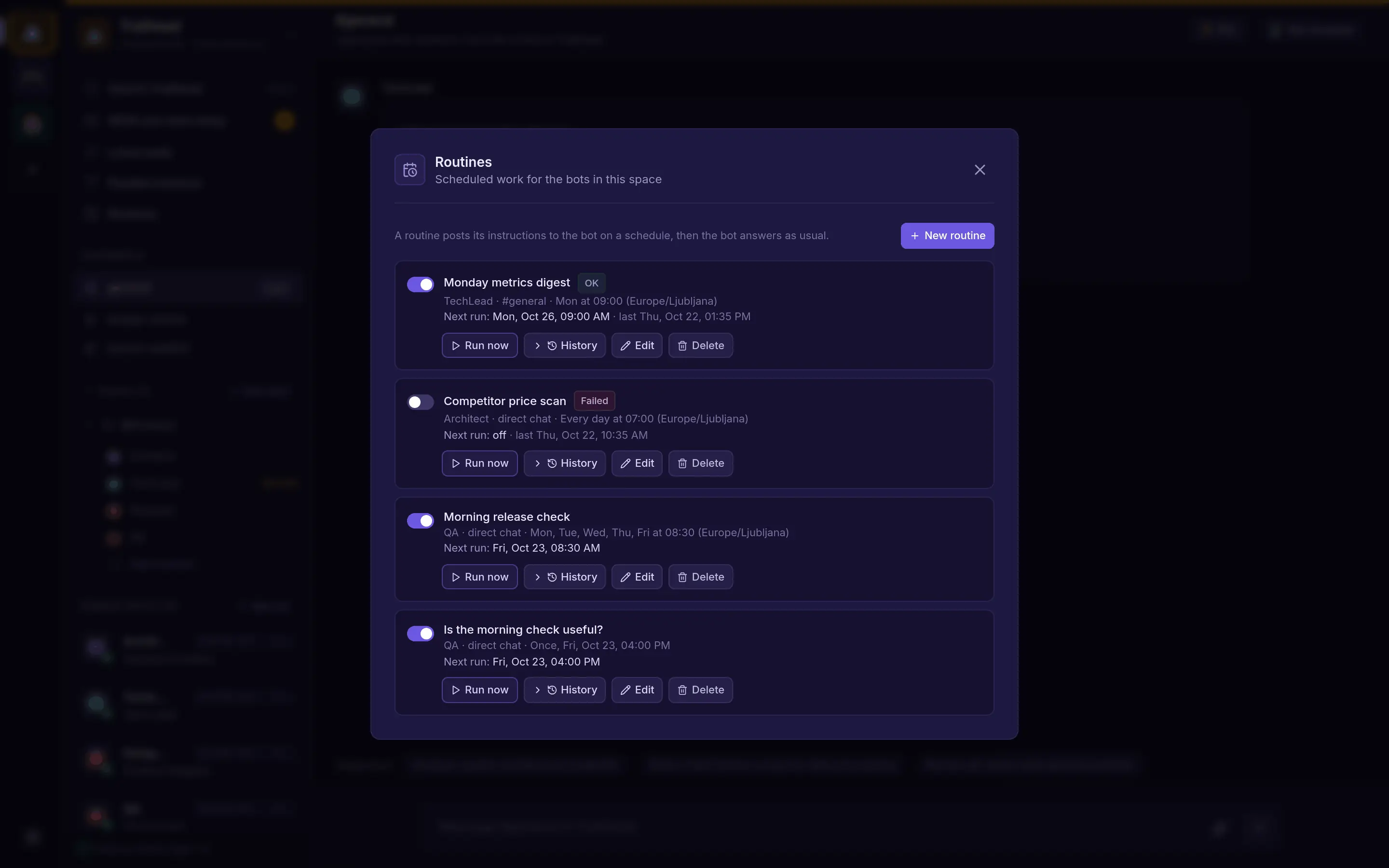
Once, daily, weekly, monthly, every few minutes or hours, or a cron rule. Run now, history and pause for each.
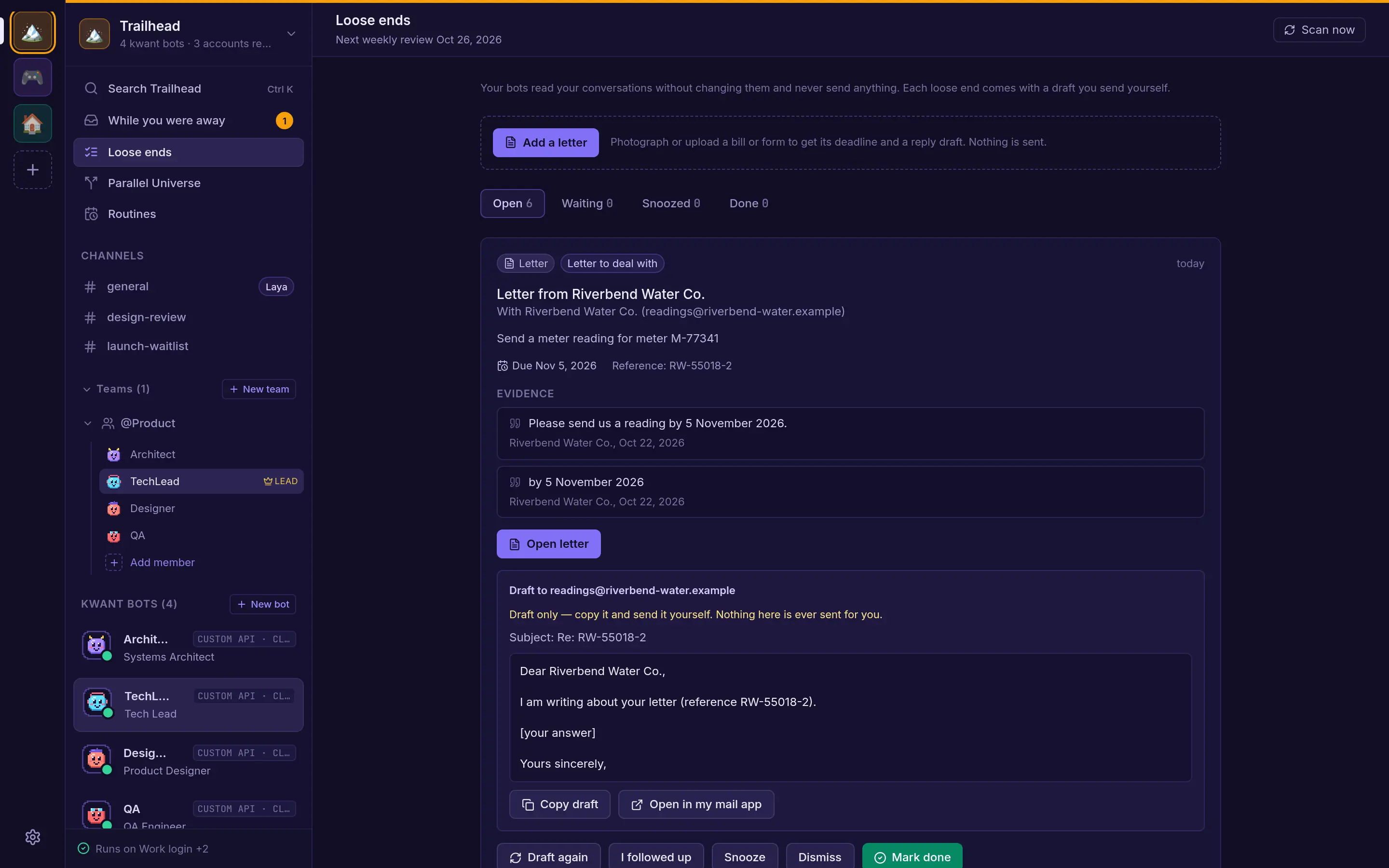
Finds questions, promises and replies that went quiet in your chats, email and GitHub.
A bot can set itself a one-off check-in, like looking at a deploy in an hour.
What is waiting on you, what finished and what failed or got stuck, with questions and approvals answered in place.
Photograph a bill or notice. kwant reads the sender, the ask, the deadline and amounts, and reminds you before it is due.
Loose ends and letters draft the reply. You copy it or open it in your mail app.
Load-test up to three ways to deploy in sealed containers on your server, next to dated price estimates. No cloud account and no spending.
Browser notifications, or an HTTPS webhook such as ntfy for your phone.
Safety & control
Every risky step waits for you, and every change can be undone.
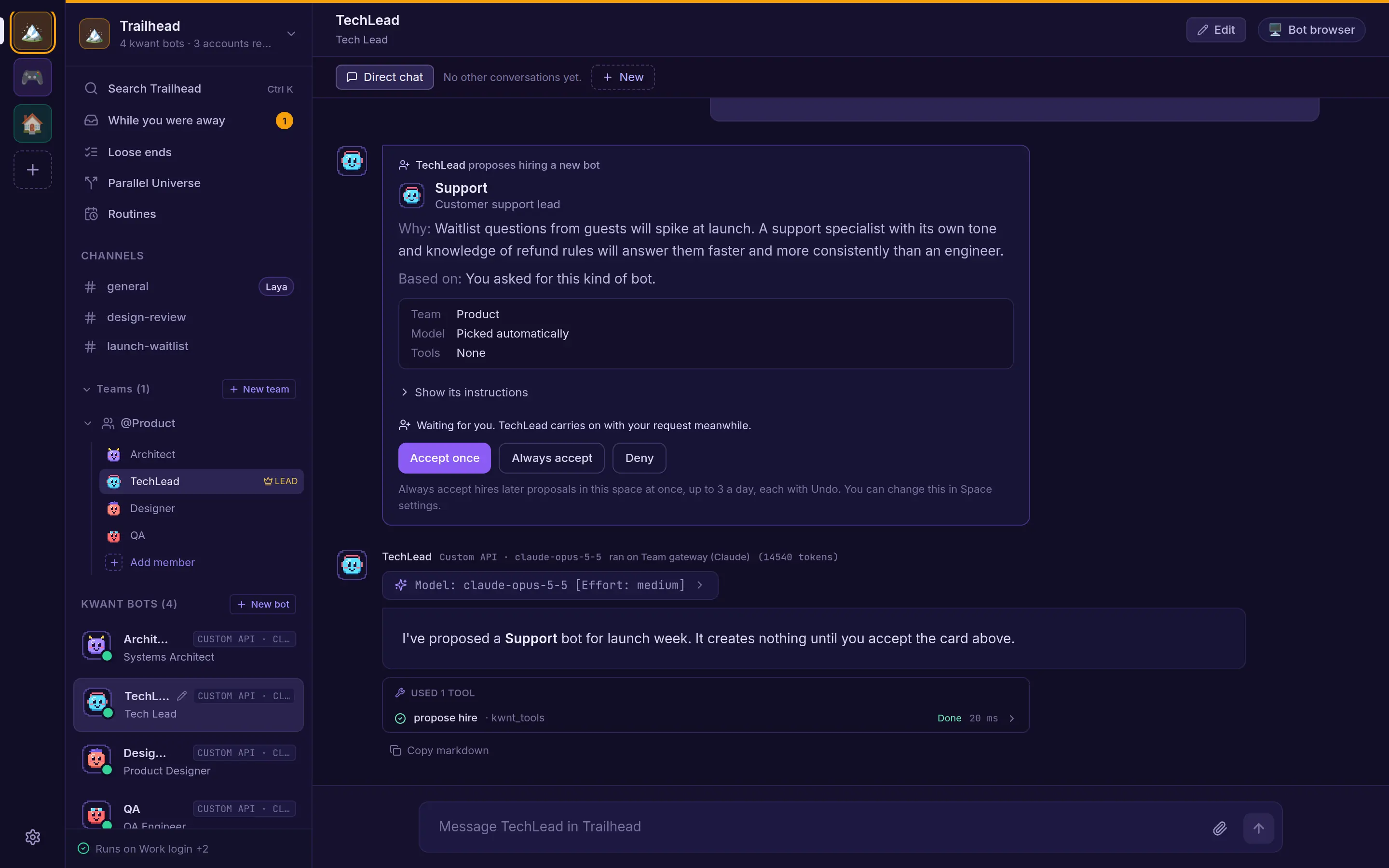
Bots can propose a new teammate. Accept once, always, or deny. Each space sets its rule.
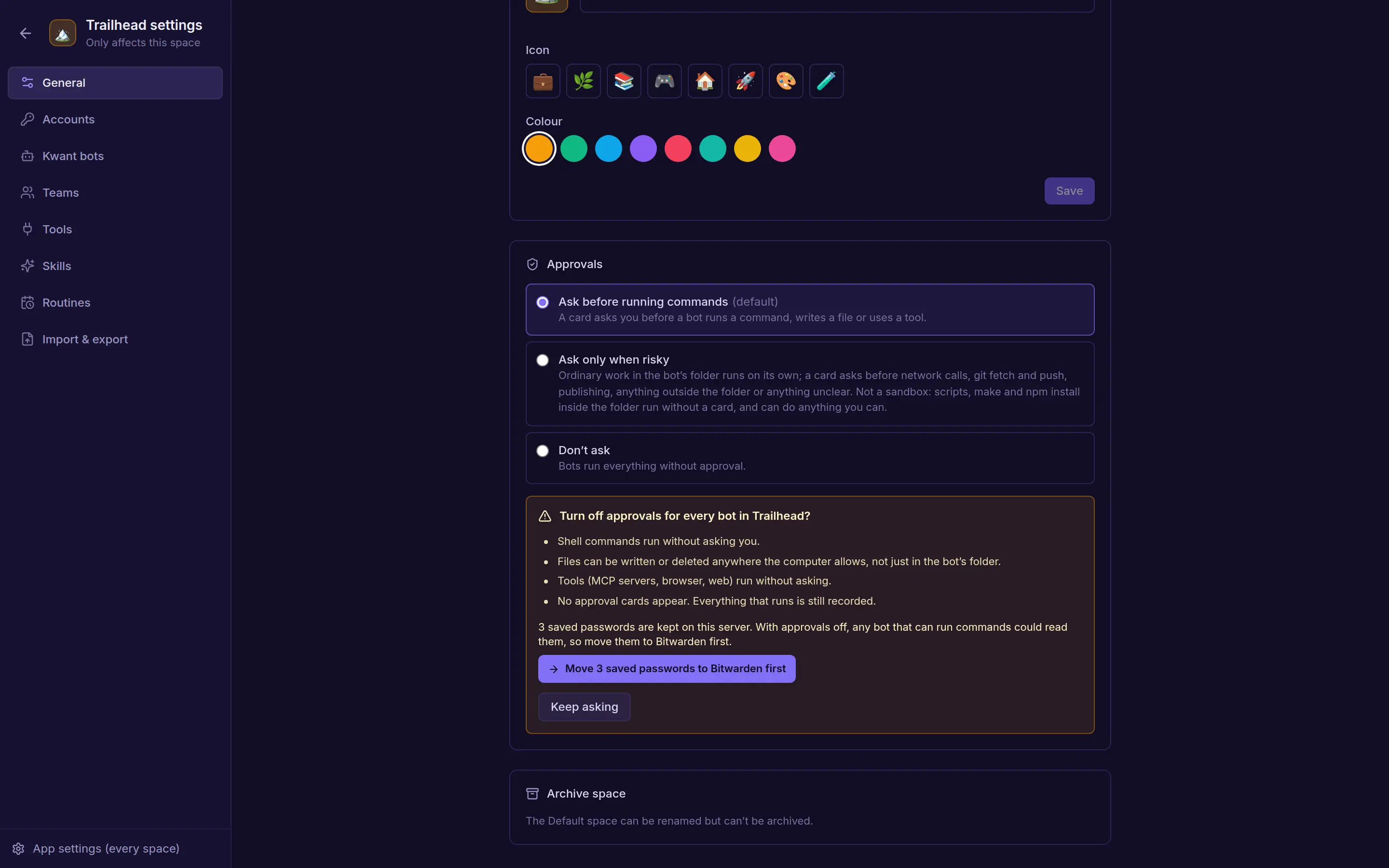
Website logins in kwant's encrypted vault or your own Bitwarden. Turning approvals off requires Bitwarden.
Allow once, Always allow or Deny, with the exact command or arguments.
Ask before running commands, ask only when risky, or don't ask. Per space, and per bot.
Bots create routines, channels and bots when asked, each with an Undo. Deletions wait for your OK.
Keys and secrets, sign-ins, approval rules and computer mode stay yours.
In every mode, tool calls that name kwant's own secret files are refused.
Imported bots arrive with no tools and no keys. Their skills wait for approval and their routines start paused.
Your bots and knowledge
And you can read, change or switch off everything they learn.
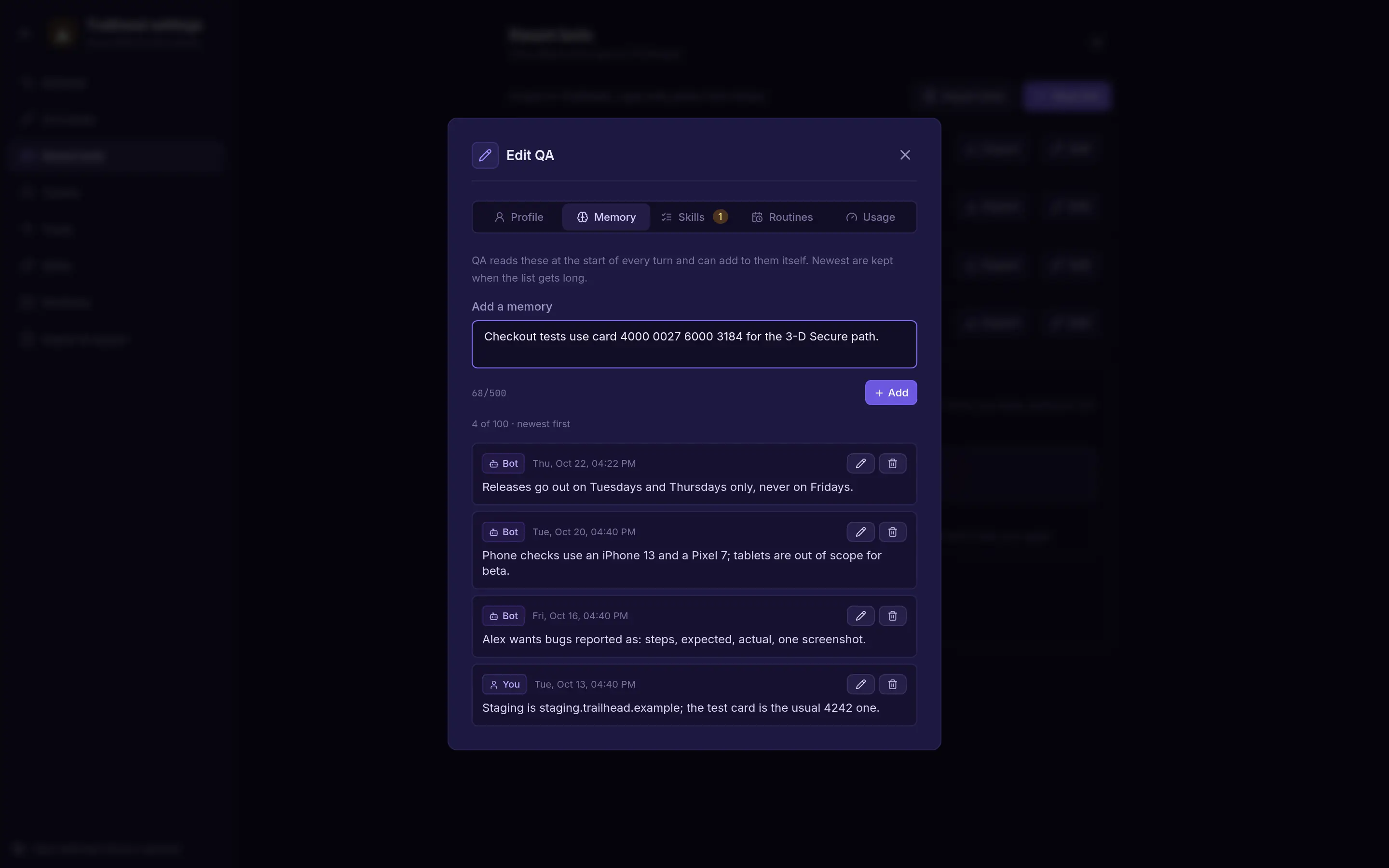
Up to 100 short memories per bot, written by you or the bot, all editable.
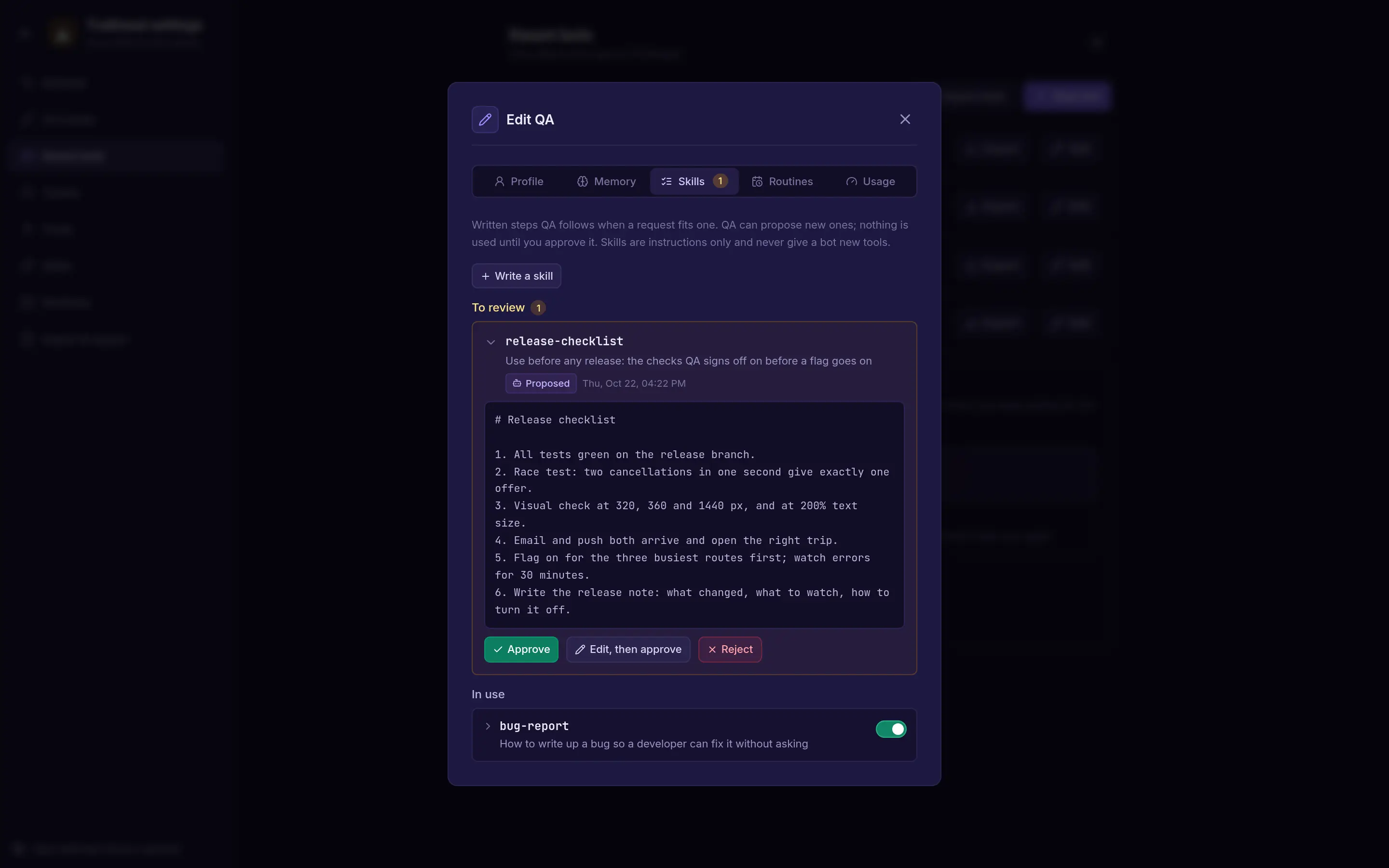
Written procedures a bot proposes and you approve. Turn each on or off.
Ctrl K or ⌘K searches every channel and direct chat in the open space.
Import from Grok, ChatGPT, Claude or a file such as a Claude Code subagent or a SKILL.md.
Export a space or one bot as a file, without chat history, files, tools or keys.
Add a skill to a bot yourself, from its Skills tab.
Running it
No cloud service to sign up for.
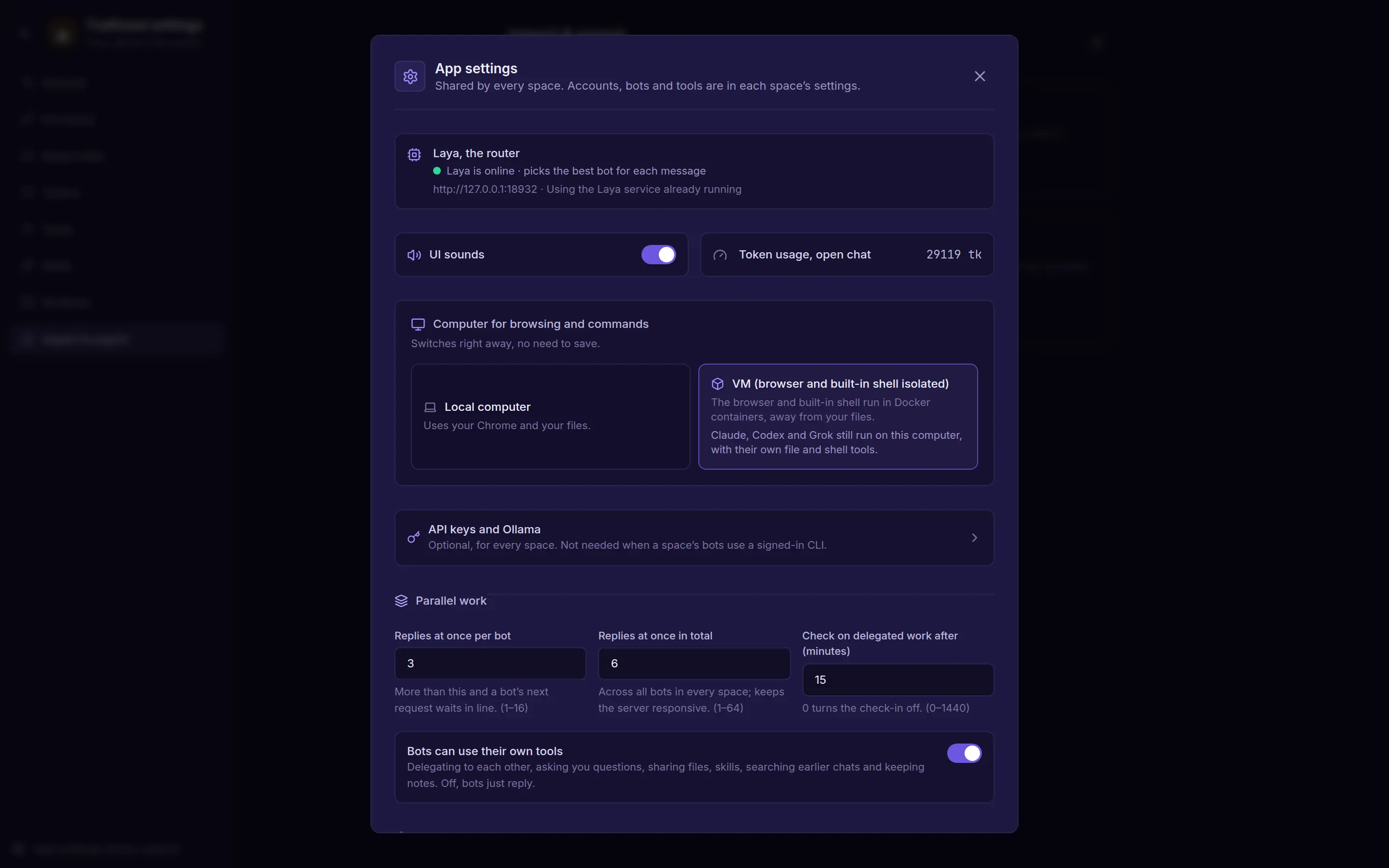
Bots browse and run commands on your computer, or in Docker containers kept away from your files.
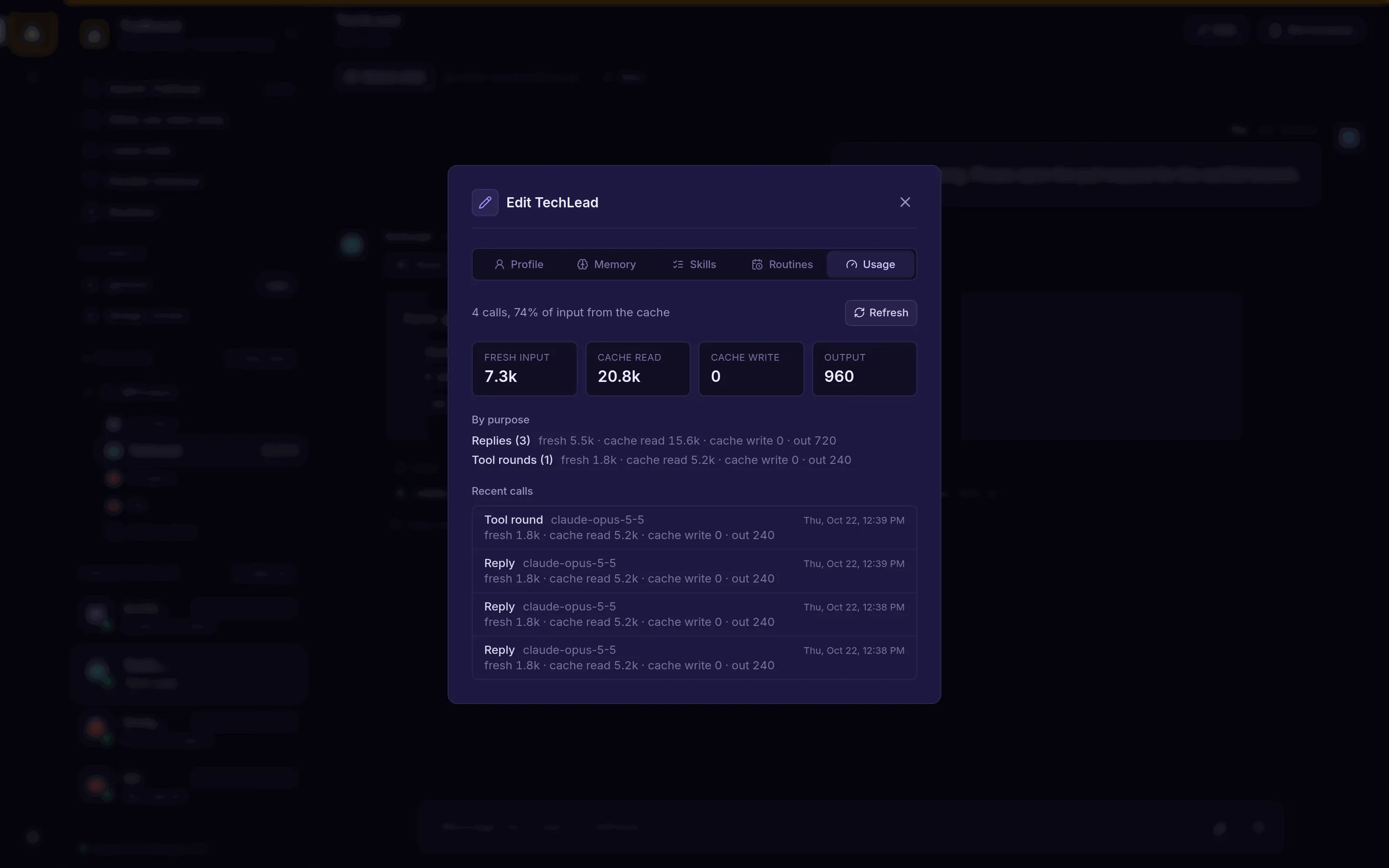
For API-key and custom-API bots, a Usage tab breaks tokens down by purpose, cache and call.
kwnt has the web app and an SQLite database built in. No Node.js at runtime.
Nothing to sign in to locally. On a server, open the link it prints once. Docker Compose and a systemd unit are included.
The claude, codex or grok CLI, or Anthropic, OpenAI or xAI keys.
Add any MCP server and pick which bots can use it. OAuth for servers that need a sign-in.
Bots browse in kwant's own browser profile, or in a container in VM mode.
Chats, bots and settings live in ~/.kwnt by default.
Clone it, run make run and ask your first question in a few minutes.